
Open DWG and DXF sheets on your phone or tablet — fully offline. Mark issues where they are, compare two sheets side by side and send a PDF or Excel report before you leave the site.
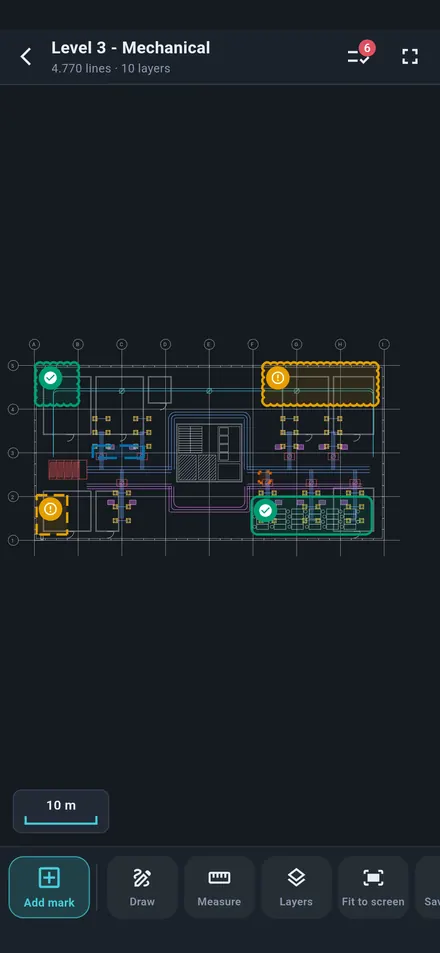
Mechanical, electrical and civil site engineers, inspectors, consultants and subcontractors — everything works on the device, even without a signal.
AutoCAD 2000–2018 DWG and DXF open directly on the phone. Layers, zoom, fit to screen, light or dark background.
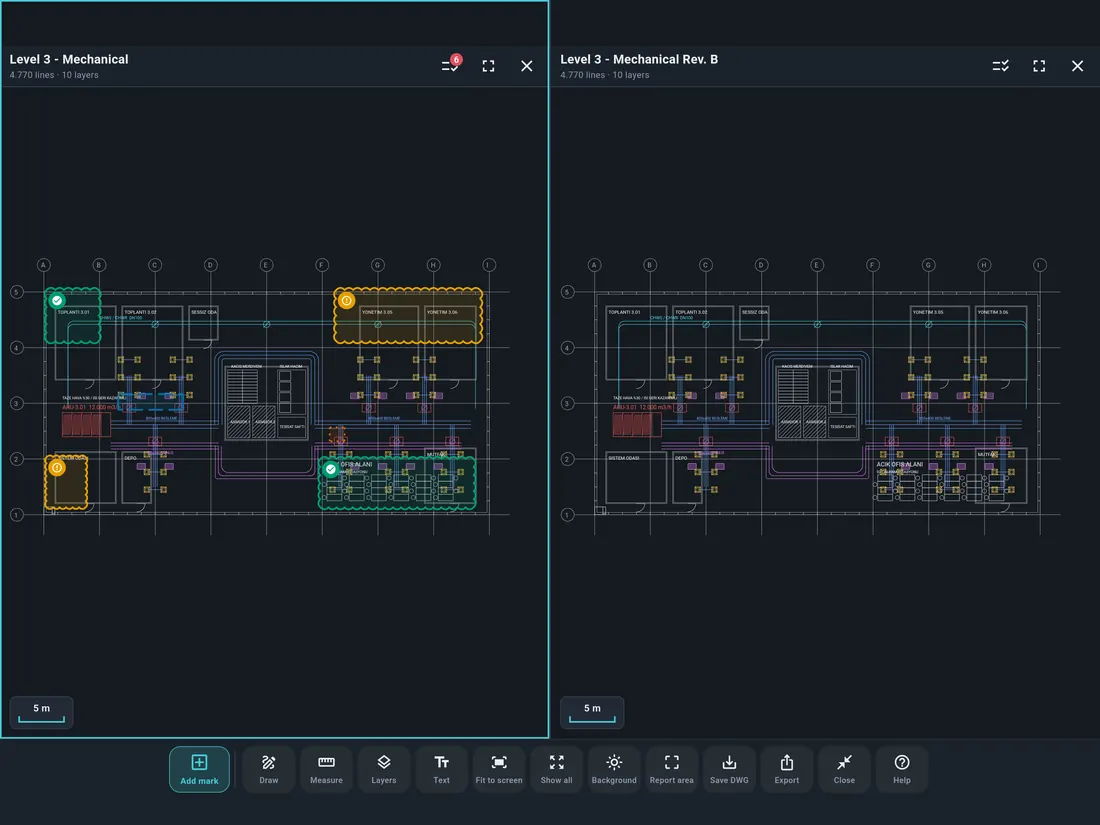
Compare revisions or disciplines — architecture next to mechanical, Rev. A next to Rev. B.
Every mark with its photo, status, location and a summary table — ready to send.
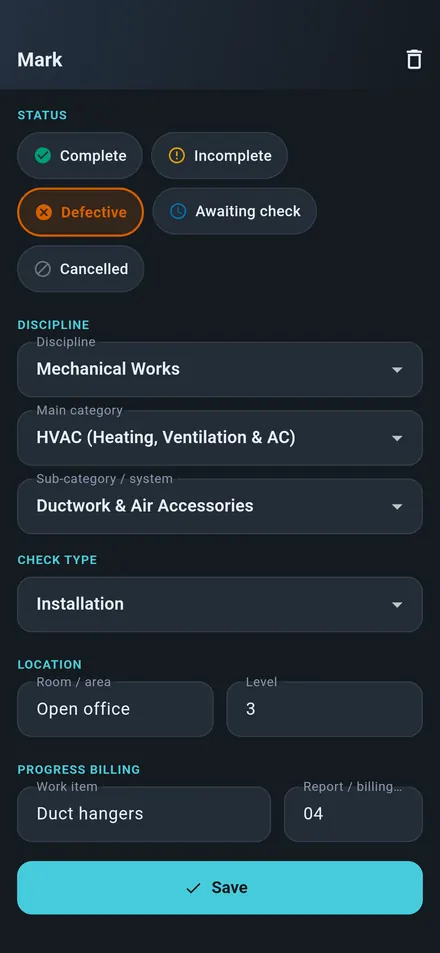
Status, discipline, category, NCR / CPR / Punch, room, level and photos — on the exact spot of the drawing.
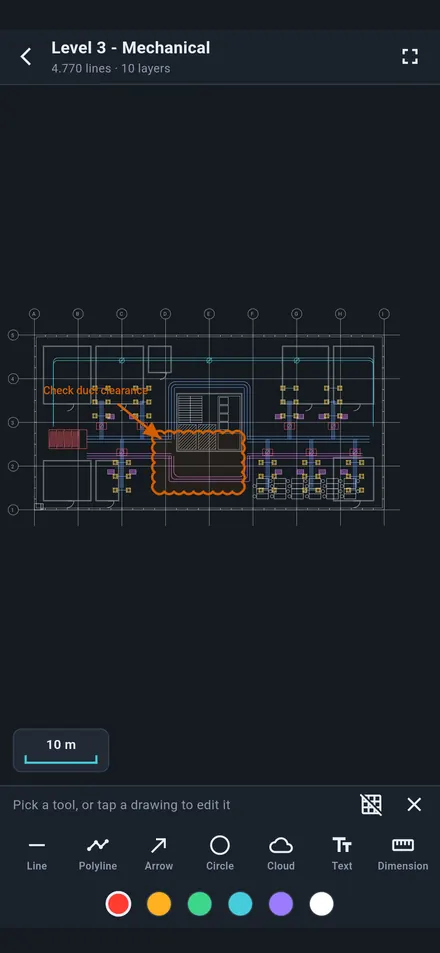
Line, arrow, circle, revision cloud, text and dimension. Save it all back to a DWG copy.
Live distances and a scale bar, in metric or feet-inches — set automatically by your region.
Tap the drawing, draw a box around the problem, add a photo and pick a status. Last choices are remembered, so the next mark takes seconds.
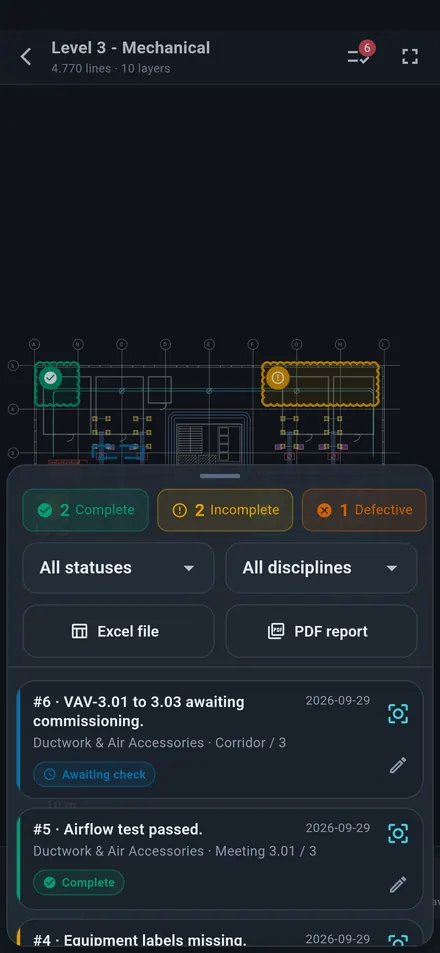
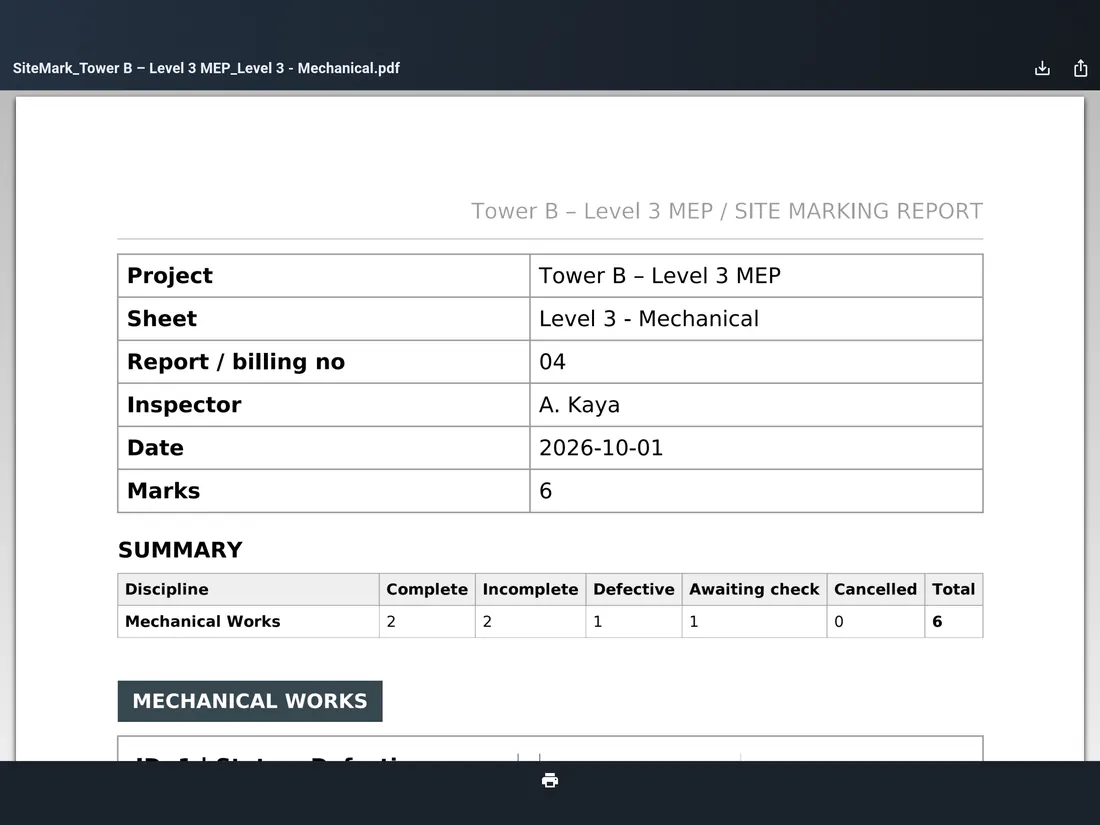
One tap turns your marks into a report with the project details, a summary by discipline and every issue with its photo and location on the sheet.
All markup tools are free: line, polyline, arrow, circle, revision cloud, text and dimension. The new “Add text” button sits right on the toolbar. Save your markup into a DWG copy — the original file is never changed.
The viewer and markup tools are free. Pro adds site marking, reports and two sheets — with no ads.
| Feature | Free | Pro |
|---|---|---|
| Open DWG & DXF offline · unlimited projects and sheets | ✓ | ✓ |
| Layers, measure (mm / ft-in), scale bar, light / dark background | ✓ | ✓ |
| Markup tools: line, arrow, circle, cloud, text, dimension | ✓ | ✓ |
| Save markup to a DWG copy | ✓ | ✓ |
| Site marks with photo, status, discipline, NCR / CPR / Punch | — | ✓ |
| PDF & Excel reports | — | ✓ |
| Two sheets side by side | — | ✓ |
| Marks written into DWG and exported as DXF | — | ✓ |
| Ads | Short ad, then 30 min ad-free | None |
14-day free trial for new subscribers. Prices in USD; local prices are shown in the store and may differ.
DWG SiteMark is made by Umut Vançın, a mechanical engineer based in Ankara, Türkiye.